
AtroCore is a digital system that helps organizations organize, manage, and work with business-critical information in a structured and reliable way. It enables teams to manage product data, media assets, and other operational content that supports sales, marketing, e-commerce, and internal workflows, all within a single, centralized platform designed for efficiency and collaboration.
For organizations unfamiliar with data management challenges, as businesses grow, information often becomes dispersed across various tools, including spreadsheets, shared drives, and email threads. This creates common problems like:
- inconsistent or outdated information,
- duplicated work across teams,
- slower onboarding and collaboration,
- errors that affect customer experience (e.g., wrong product details or missing media).
AtroCore’s system is designed to centralize that work into a single workspace, allowing teams to access reliable data and operate more consistently.
AtroCore Can Now Be Installed Like an App
AtroCore has launched an installable app experience for its platform, allowing customers to access their workspace just like a native desktop or mobile application. Delivered through a Progressive Web App (PWA), the new experience allows users to install AtroCore directly on their desktop, taskbar, or mobile home screen.
The installable app retains the full functionality of the web version while offering faster access, a cleaner interface, and reduced browser friction. With one-click launch and improved day-to-day accessibility, teams can work more efficiently in a focused, app-like environment, without sacrificing the flexibility of the web.
Why AtroCore Launched This: The “Faster Access” Problem
In many organizations, a data management platform becomes part of daily operations, used repeatedly throughout the day by product teams, operations, marketing, and leadership. Over time, browser-based usage can introduce small but constant friction:
- hunting for the right tab,
- re-opening the site after restarts,
- losing context across dozens of browser windows,
- distractions from unrelated tabs and notifications.
The new app-style experience reduces this friction by turning the workspace into a one-click destination, improving day-to-day usability for teams who depend on the system.
What This Brings to Businesses
Installing AtroCore as an app helps organizations improve speed, consistency, and focus:
- One-click access allows opening the system from your desktop, taskbar, or mobile home screen without searching or URL typing.
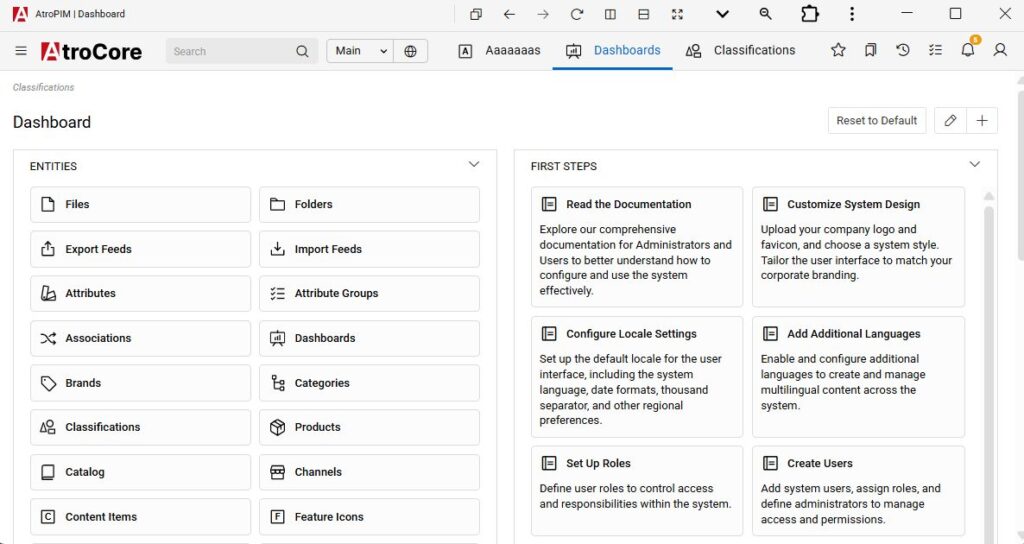
- A dedicated workspace window enables working in a clean, standalone app window instead of juggling browser tabs.
- The installable app offers the same features and functionality as the web version, ensuring no workflow changes and minimizing training and adoption effort.
- Improved team productivity comes from reduced friction that adds up across teams using AtroCore throughout the day.
How It Works
AtroCore’s installable app is powered by Progressive Web App technology, which lets a website behave more like a native application installable, launchable from the device, and presented in a standalone window.
This approach helps organizations offer an “app-like” user experience without requiring users to download a traditional app from an app store in the typical way.
Installation Requirements (What You Need)
To install AtroCore as an app, the system must meet standard PWA requirements:
- The application must be served over a secure HTTPS connection
- A valid Web App Manifest and Service Worker must be configured
- Supported browsers: latest Google Chrome and Microsoft Edge
How to Install the AtroCore App (Step-by-Step)
- Open the AtroCore system in Chrome or Microsoft Edge
- Look for the install prompt (e.g., a message like “Install Application” or an install icon in/near the URL bar)
- Click Install
- The system opens in its own app window, like a standard application
Extra Tip: Enable Advanced App Controls
After installation, users can enable additional app controls for a cleaner workspace:
Click the small arrow button in the top-right corner of the app window (title bar area) to access advanced application controls.
Learn More
For more technical implementation details and additional AtroCore updates, users can refer to AtroCore’s help center documentation on Progressive Web App (PWA).
This article was originally published at: https://hexaprwire.com/atrocore-now-available-as-an-installable-app/
